UX Design
Mobile APP
Smart Retail
IoT Device
Hi BianLi Co.
Designing an Improved Operation Tool for Smart Vending Cabinets
The Context
Hi BianLi provides AI-Powered smart vending cabinets and a supporting operation platform for merchants. As the number of devices grew, the original mobile operation app, CloudShop, started to show clear efficiency problems in core tasks such as restocking, product placement, and inventory updates. The workflows were scattered, onsite actions took too much time, and the app could not fully support merchants’ new requirement for photo-based restocking checks.
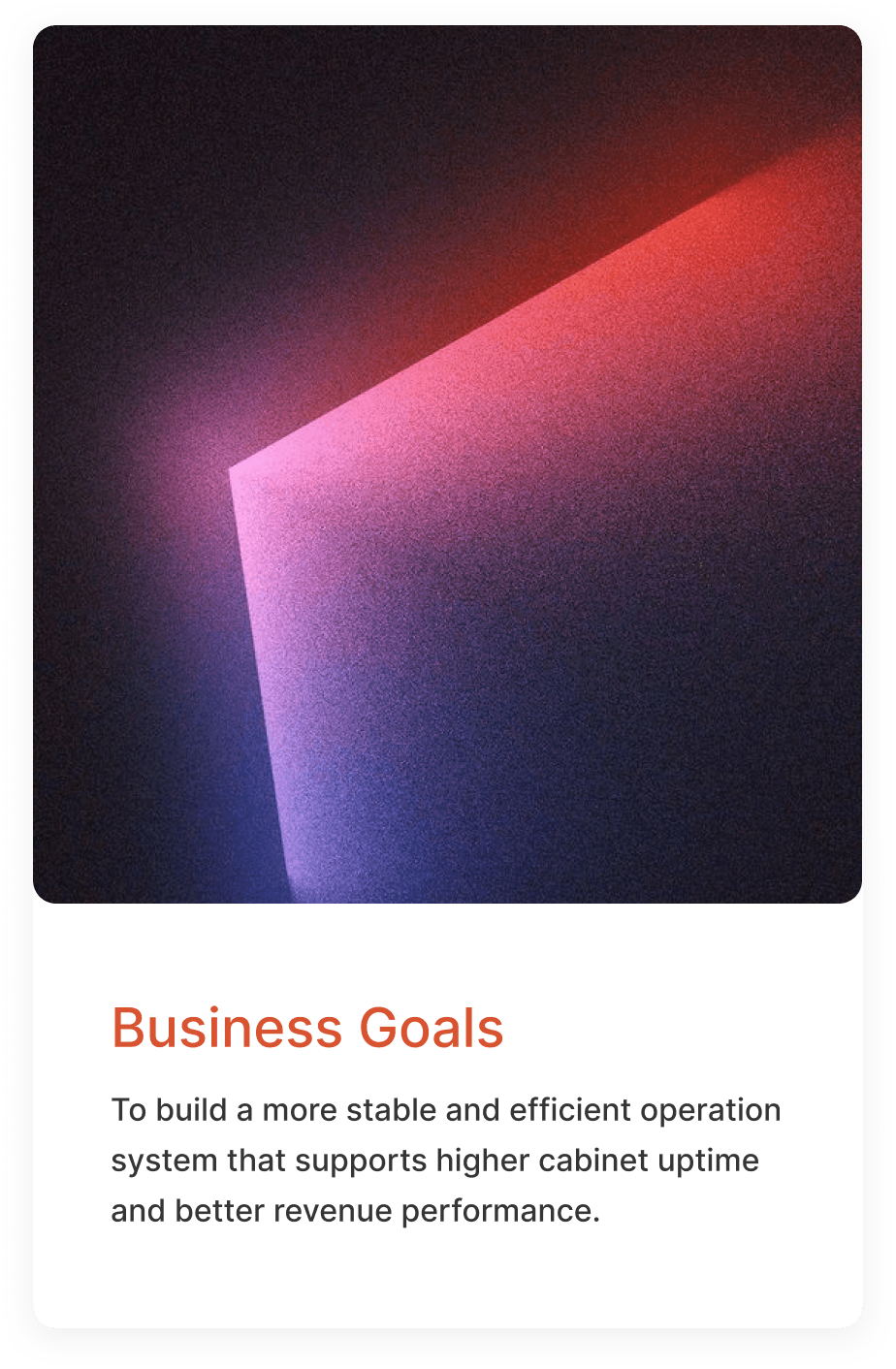
This project aimed to improve restocking efficiency through a structured redesign. The work included streamlining the restocking workflow, reorganizing the home page, and adding a photo verification feature.
As the Lead Designer, I was responsible for the full design process: defining problems, refining workflows, and creating interaction solutions. I worked closely with PMs and developers to ensure the redesign could land smoothly and improve the restocking experience in real operational scenarios.
My Role
Lead Designer
The team
2 PM
1 Designers
6 developers
Duration
4 months
Why it matters
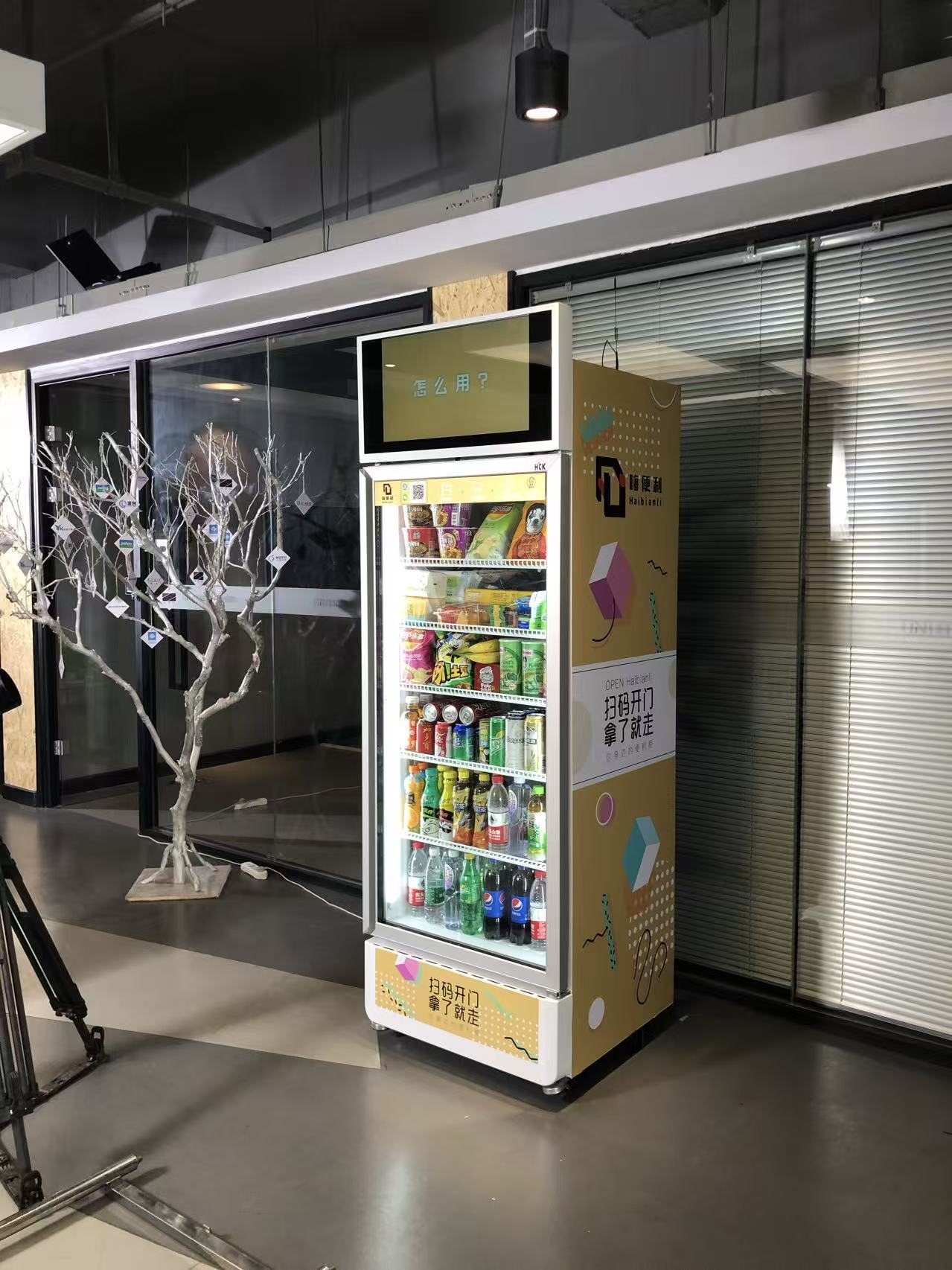
In the smart vending cabinet business, hardware, operators, and consumers together form a complete retail chain. The hardware and its AI-powered vision system provide the core capabilities, consumers shop by scanning with their phones, and frontline operators restock, arrange products, and manage the cabinet onsite to keep it running and profitable.
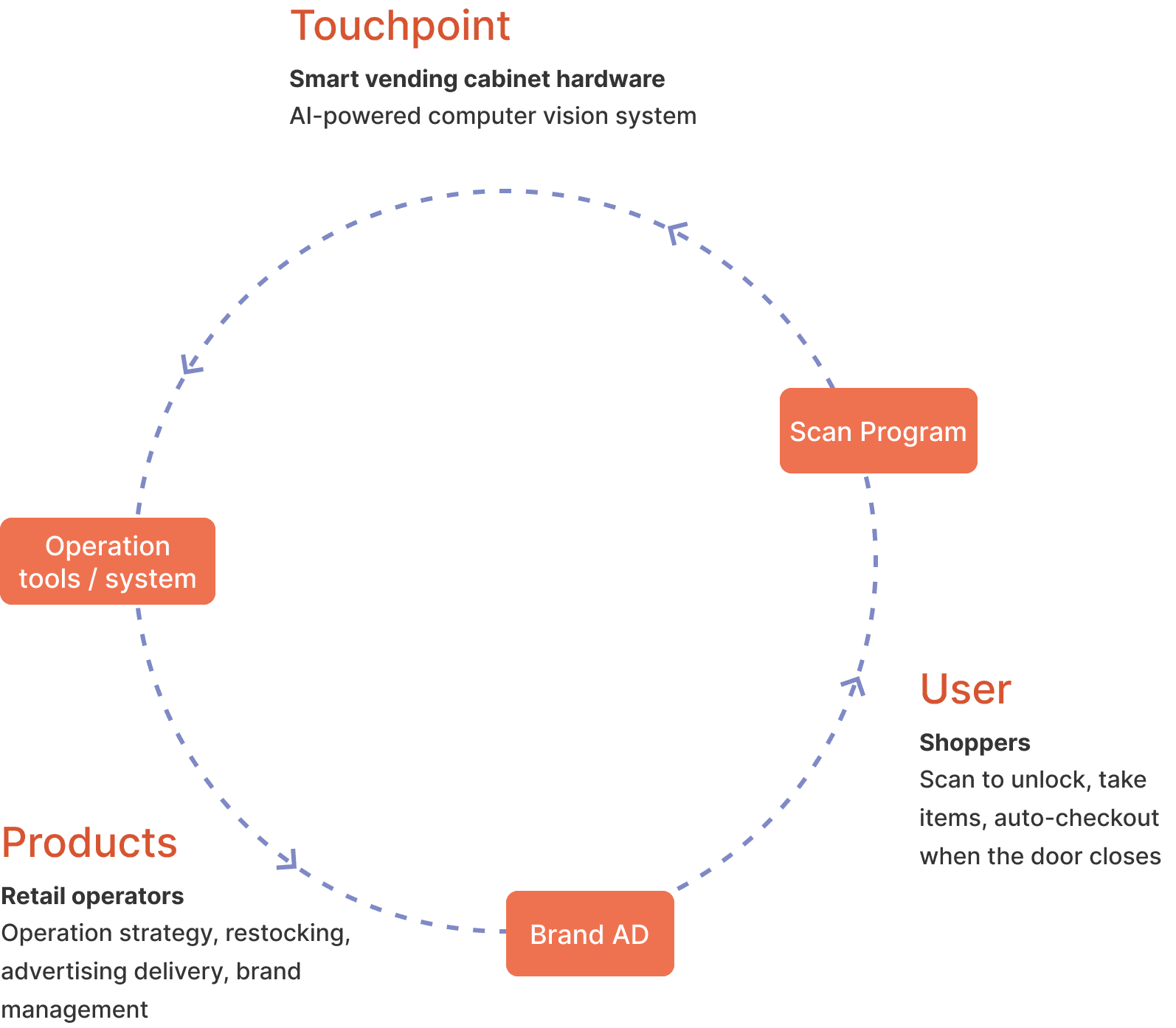
As the core operation tool, the CloudShop App directly affects product turnover, shrinkage rate, and the overall revenue of each smart vending cabinet. Because of this, a reliable and efficient operation app becomes a key piece of infrastructure that keeps the whole smart vending cabinet business running smoothly.
Problem
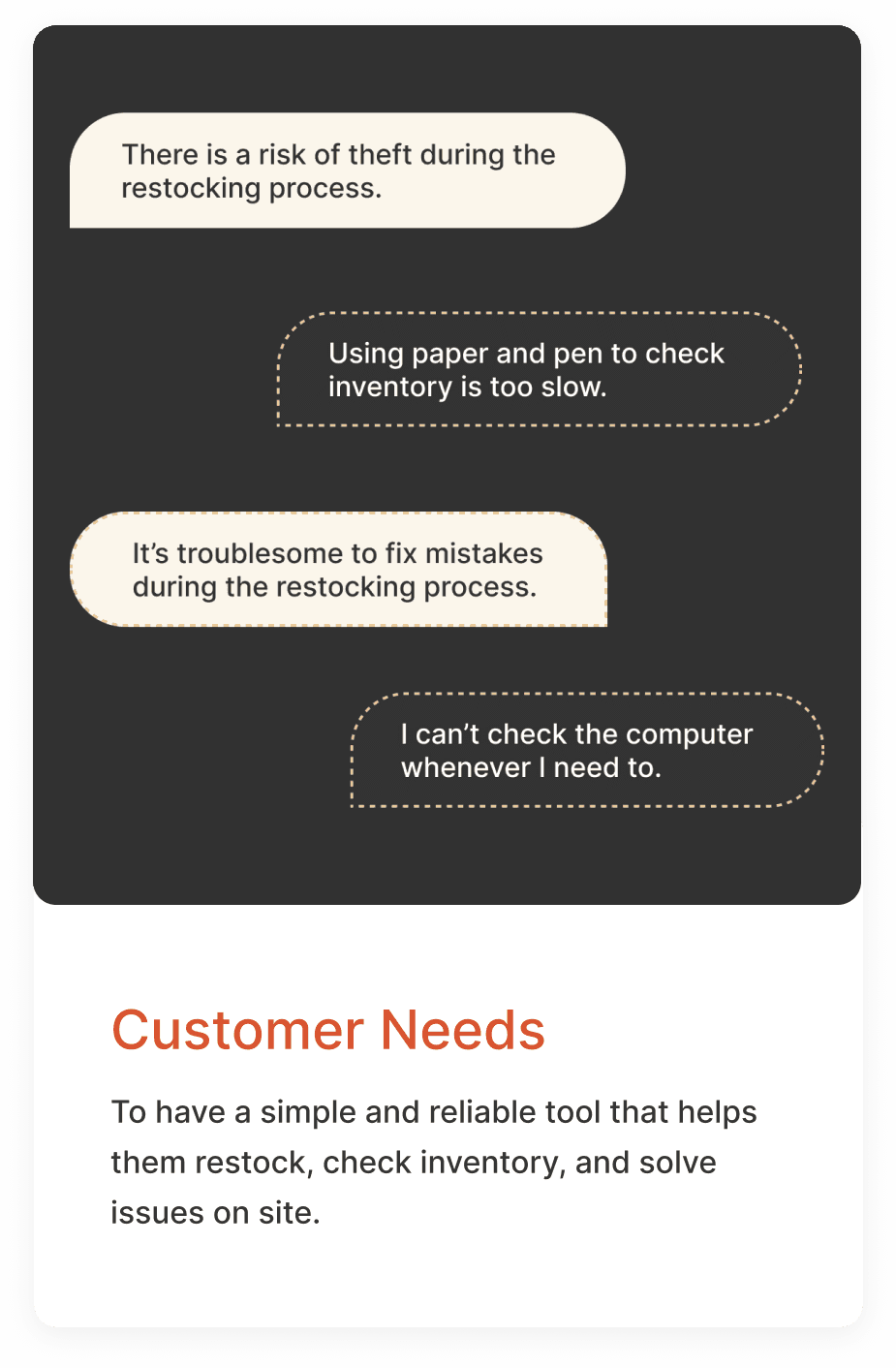
As the number of devices grew, the original CloudShop App began to show clear issues in core tasks such as restocking, product placement, and inventory updates. The workflows were too fragmented, the operations took too many steps, and the app could not support the high-frequency and time-sensitive needs of frontline operators. At the same time, merchants’ new requirement for photo-based restocking verification also emerged.
These problems not only reduced restocking efficiency but also increased the overall operational cost.
Design
This redesign focused on improving the core operation tool and aimed to provide frontline operators with a more efficient and stable working experience. We focused on three main areas:
- Restocking workflow iteration: shorten the task path and reduce errors.
- Home screen redesign: improve access to high-frequency tasks.
- New photo verification flow: meet merchants’ needs for management and quality checks.
01 Restocking Workflow Iteration
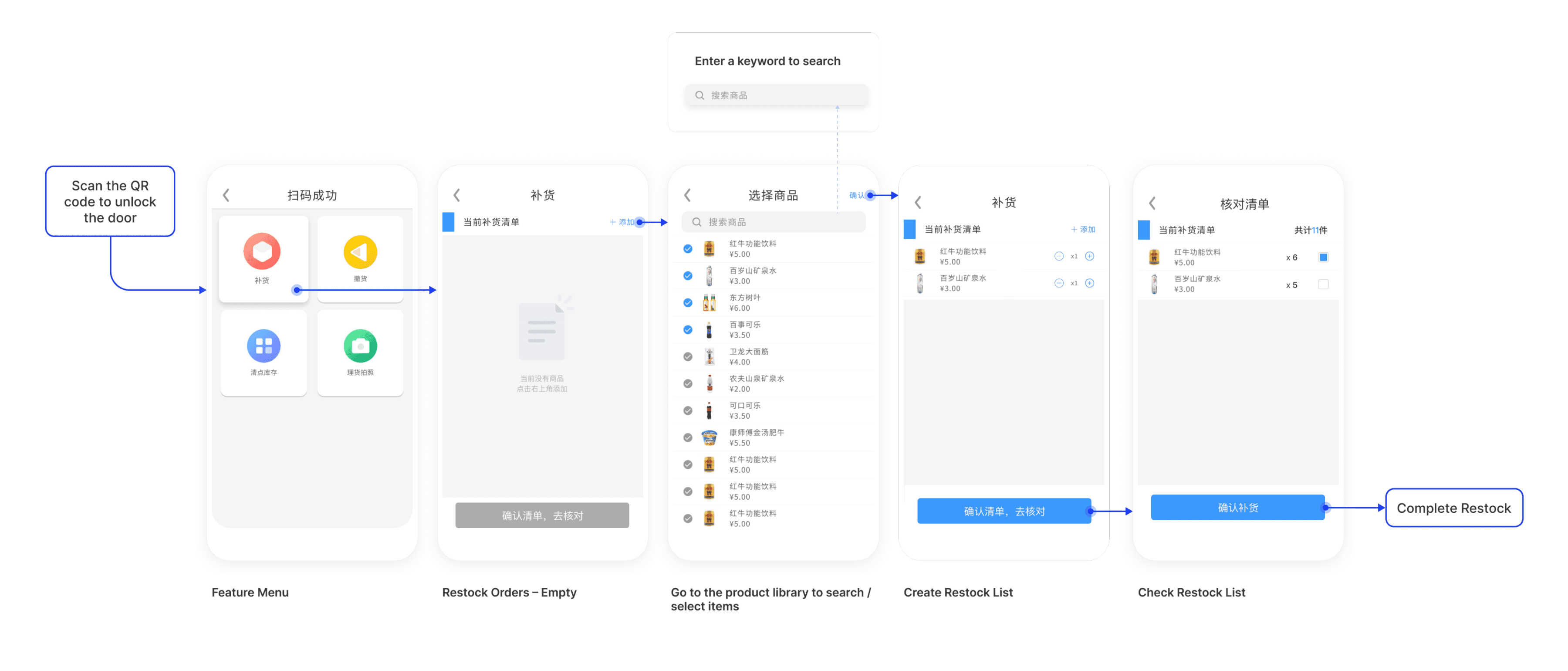
Restocking is the most critical task in operating a smart vending cabinet. In CloudShop App 1.0, the restocking feature supported basic onsite counting and quantity checks, but during the first few months of real use, we received constant feedback from frontline operators. The workflow felt too complicated, the steps were long, and adding items required entering each one manually. These issues made the process slow, error-prone, and noticeably affected the overall user experience.
Original Restocking Workflow (V1.0)

Solution 1 — Generate preset restocking lists with algorithm support
Before
Operators had to create restocking lists onsite according to the cabinet’s empty slots.
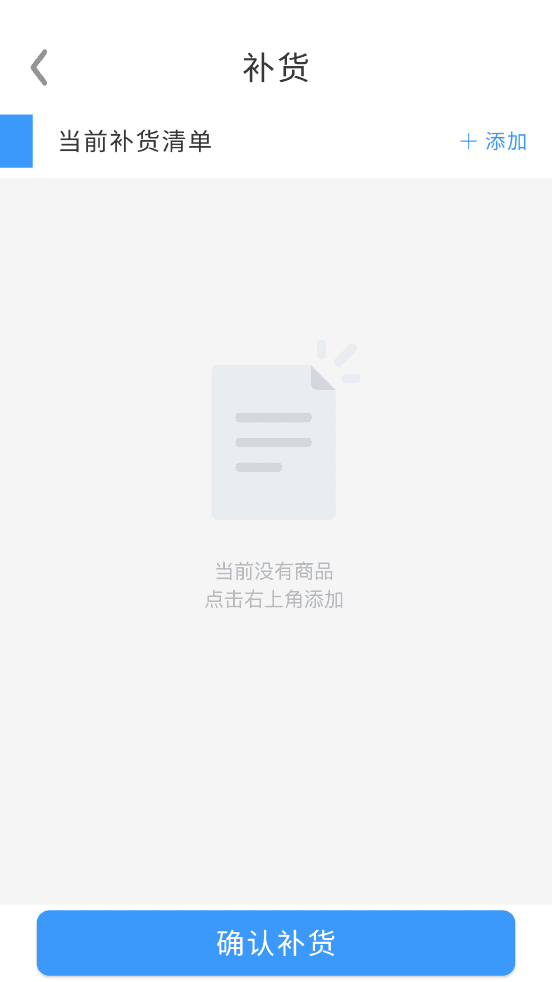
Enter Restocking
After
Automatically showed the preset restocking list for each cabinet from the web system.
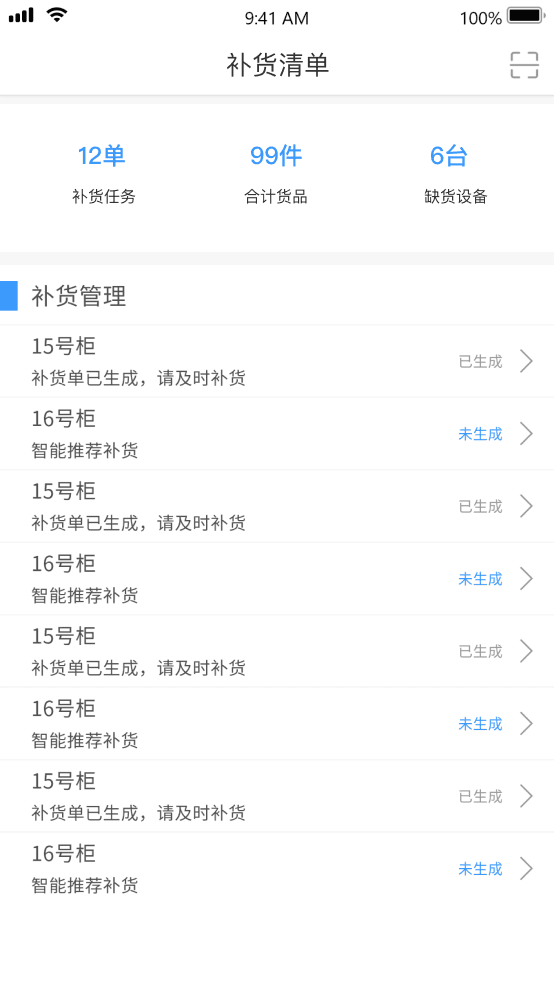
Restock List
Enter the preset restocking list and check the item quantities directly.
Check List
Solution 2 — Set quantities and check items in same step
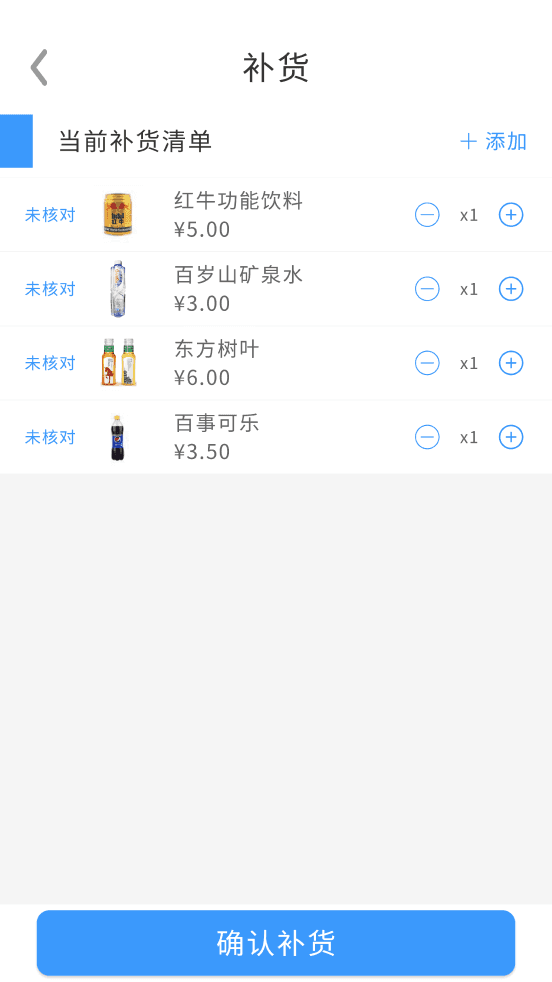
Before
Adding items and checking quantities were done on two separate screens.
Enter Restocking
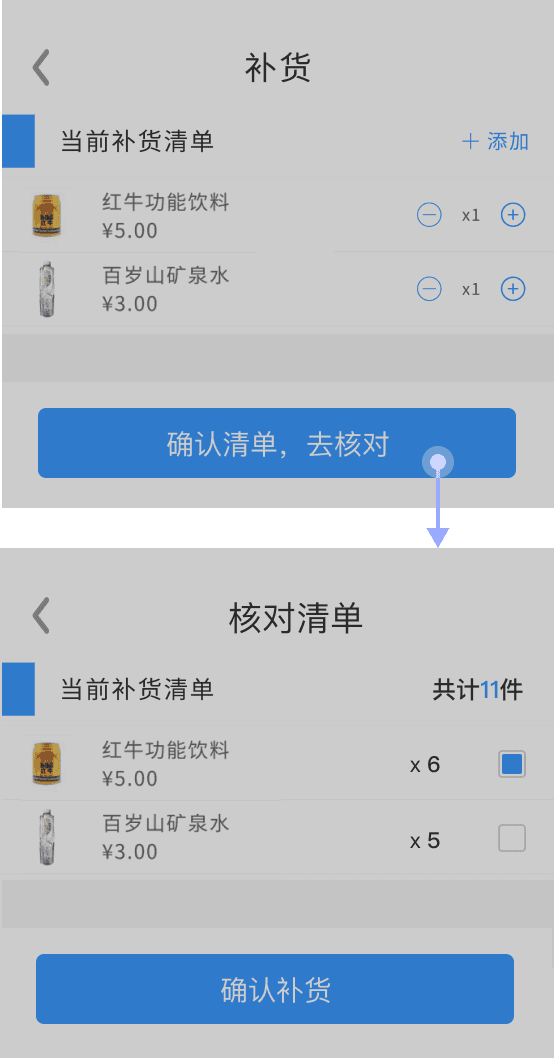
After
Adding, editing, and verifying items can now be completed on the same screen.
Set and Check Quantity
Workflow Comparison
The comparison illustrates how the restocking workflow in version 1.1 was streamlined by consolidating steps and shortening the overall task path.

02 Home Screen Redesign
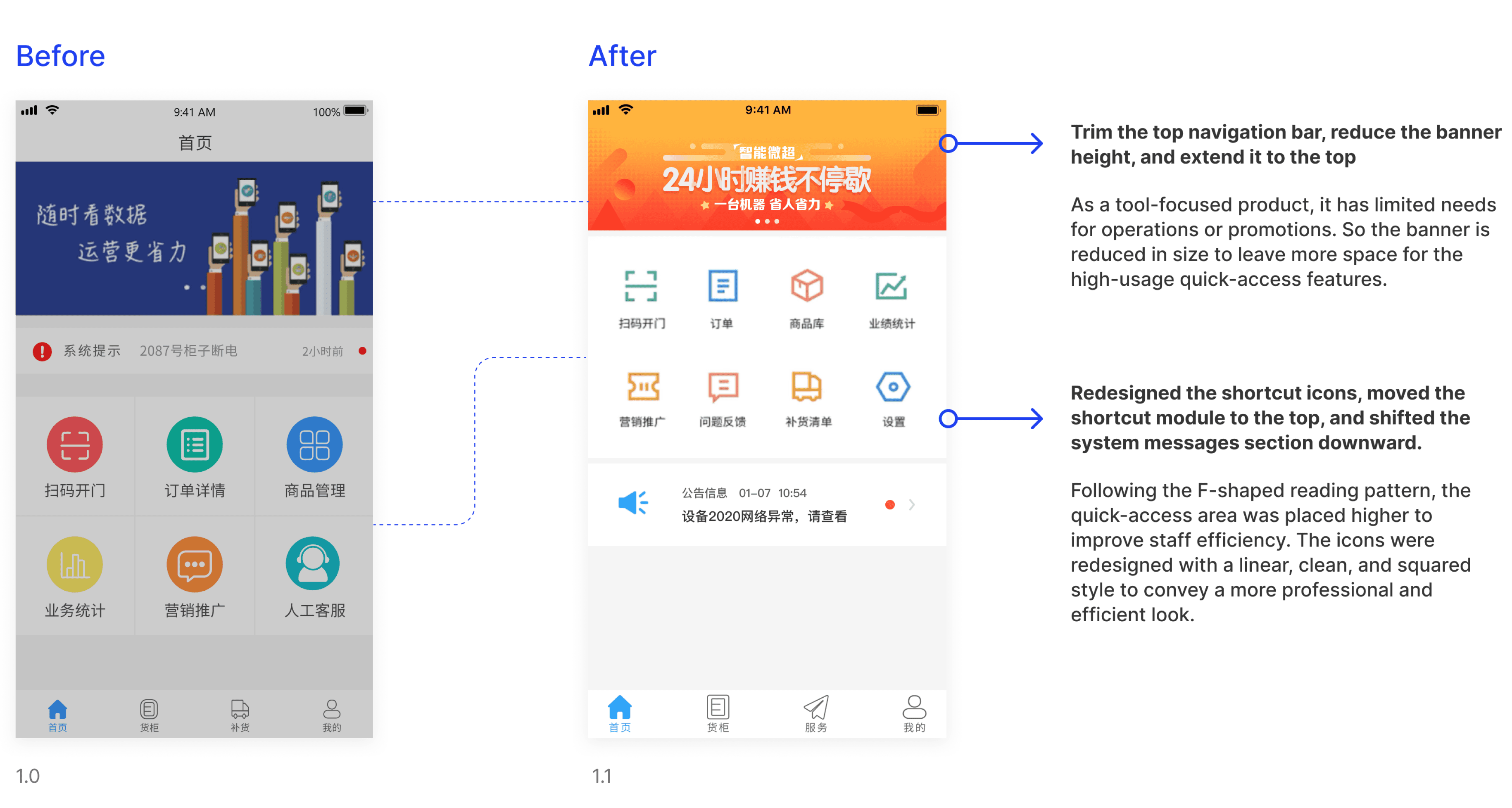
In v1.0, the visual hierarchy of the home screen was dominated by the operation banner, and the core task entry was placed too low. The layout of the shortcut area and the system messages also made it difficult for operators to quickly reach high-frequency tasks. For an operation app that is mainly used as a work tool, these layout issues created friction and reduced efficiency during onsite restocking.
03 New Requirement — Photo Verification for Restocking
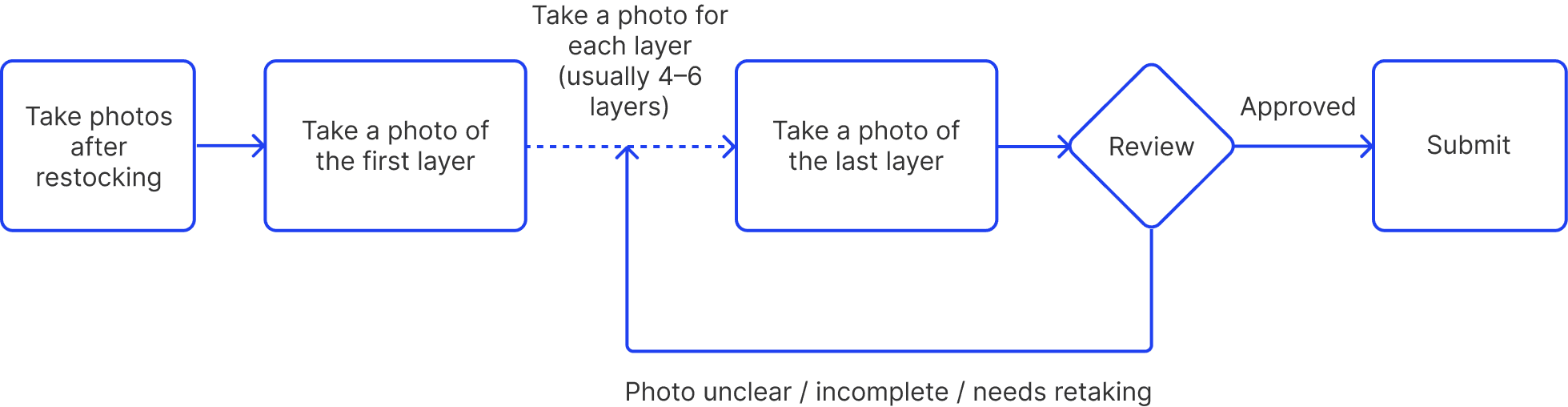
As the business grew, some merchants asked frontline operators to take photos after each restocking task to record the cabinet’s status for documentation and management purposes.
Work Flow
Design Exploration
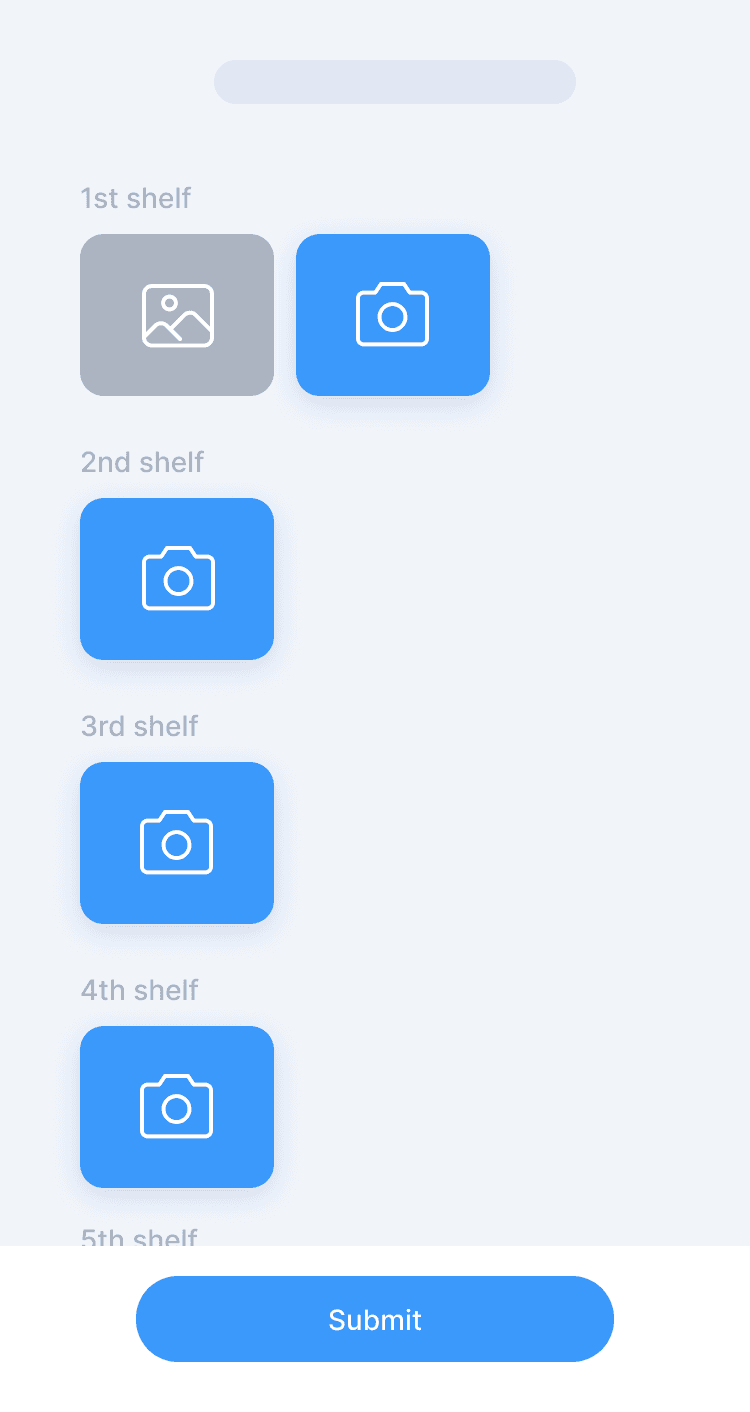
Solution 1: Capture photos shelf by shelf
Cons
Cons
Solution 2: Guided photo capture, one photo per shelf

Cons
Cons
Final Decision
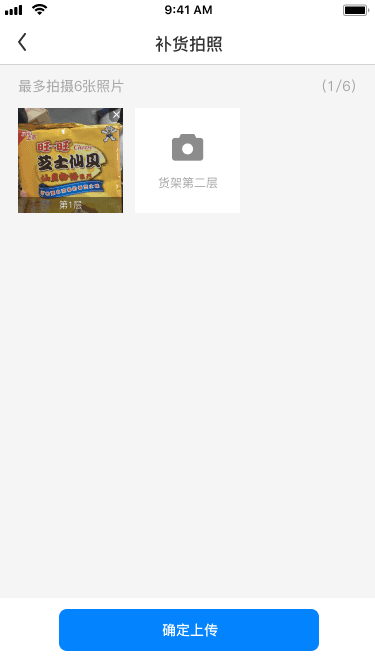
After evaluating the onsite workflow, operational cost, and merchants’ auditing needs, we ultimately chose Solution 2, the guided photo capture flow. The key difference is that Solution 1 puts the process in the user’s hands—flexible but complex—while Solution 2 uses a system-guided flow that delivers stronger consistency. In real restocking scenarios, operators must complete multiple locations quickly on small screens and with different levels of proficiency, while merchants expect a controllable number of photos for later inspection.
Under these constraints, consistency matters more than flexibility.
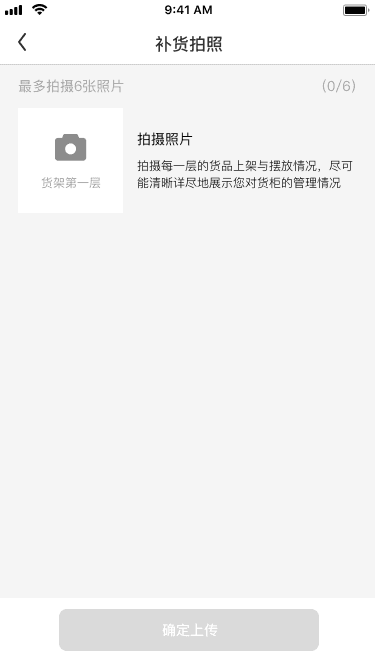
Restocking Photo - empty
Restocking Photo - In progress
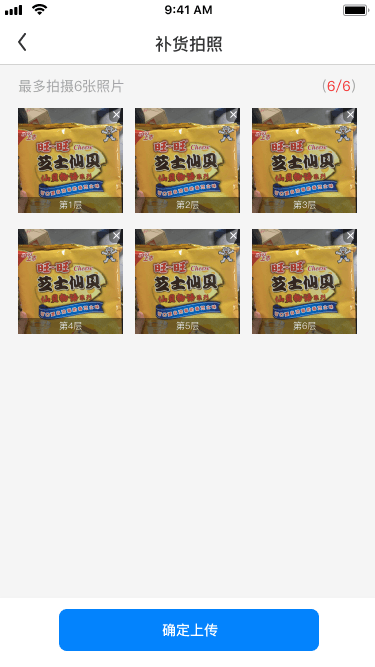
Restocking Photo - Completed
Solution 2 guides operators to capture photos shelf by shelf, which lowers the learning cost, reduces errors, and makes the workflow easier to execute in fast-paced environments. A fixed photo per shelf also speeds up back-office review. Compared with Solution 1, which mirrors the cabinet’s physical shelves, Solution 2 provides a more balanced approach across efficiency, usability, and business alignment.
Final Reflection
After the CloudShop 1.1 update went live, we received positive feedback from many merchants, especially noting that several long-standing issues had finally been resolved. B2B products often lack rich user data and clear benchmarks, so building a truly useful tool requires a deep understanding of the business. This includes mapping workflows, understanding how each role actually works, and participating in real operations to identify which steps are essential and which pain points truly exist.
During this project, I joined several real restocking runs—from carrying goods to restocking each location, arranging items, and verifying SKUs. These hands-on experiences helped me better understand the product logic and the mindset of frontline operators. They also allowed me to make more accurate design decisions that could reduce operational effort and lower the chance of errors.
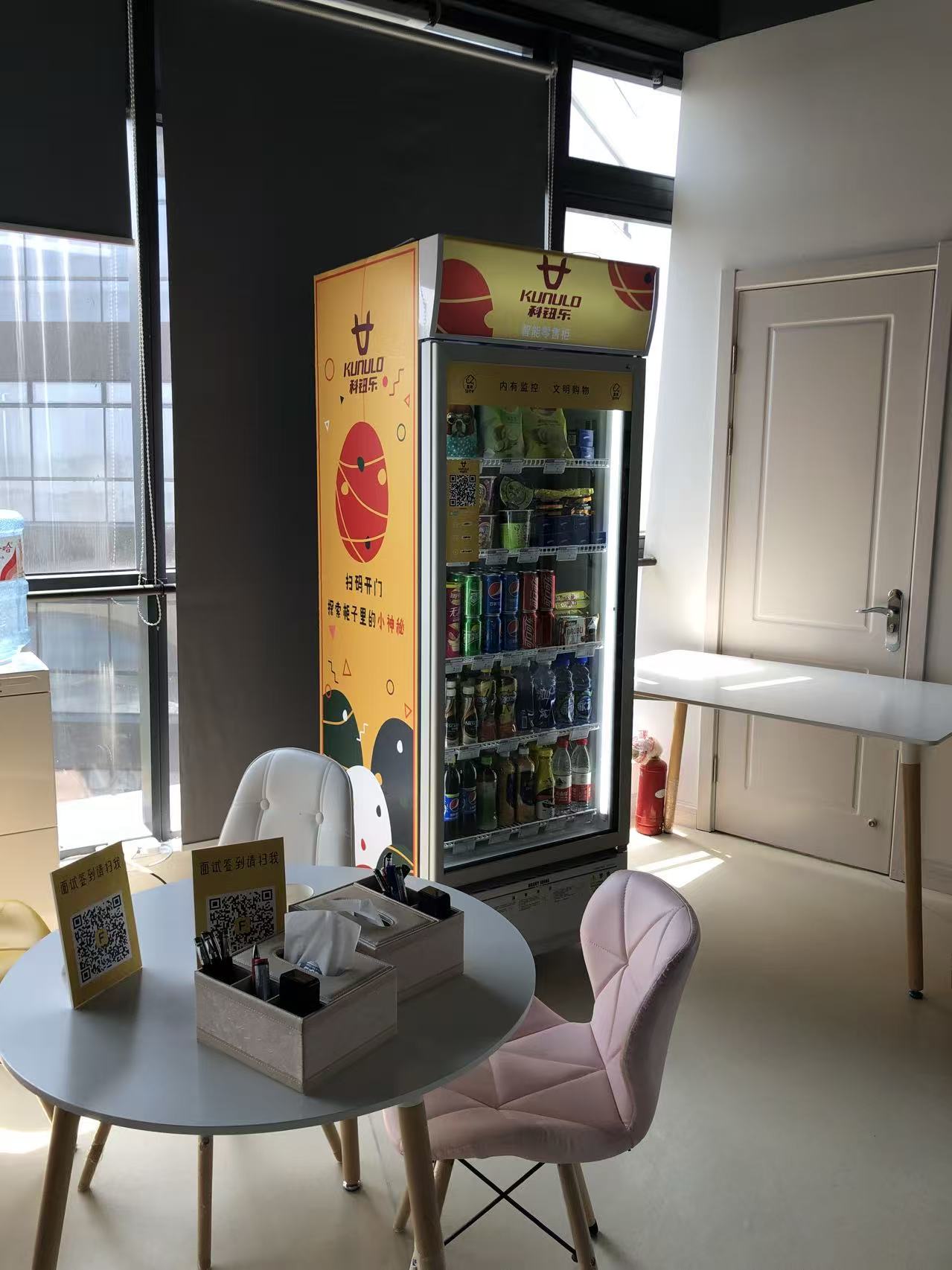
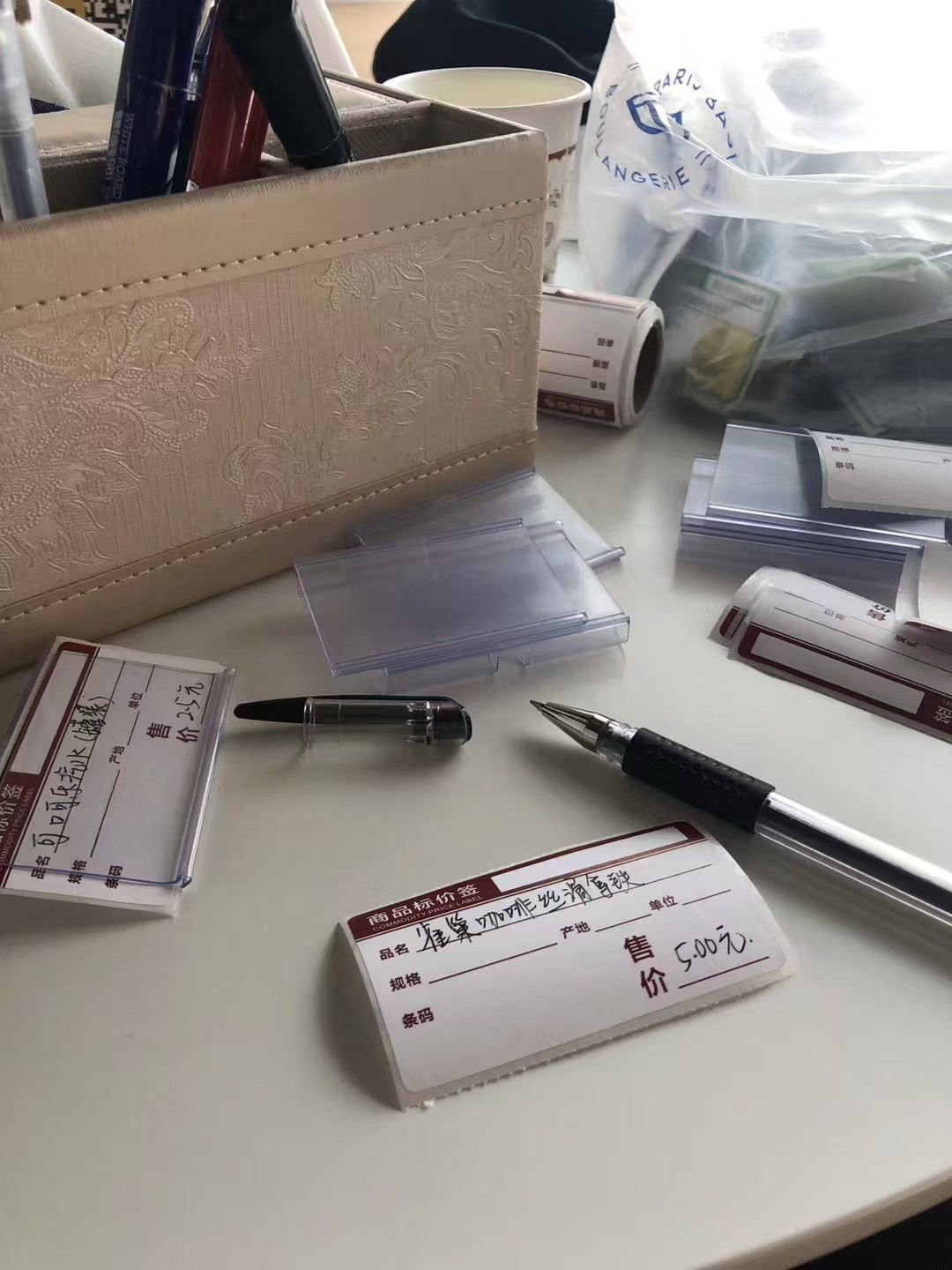
For me, the core of B2B design is not guessing how users might behave, but understanding how the business actually runs. Only by fully grasping the business logic, real workflow constraints, and onsite practices can we create tools that frontline operators are willing to use—and that deliver real value to the business.